Bill a Booking, Bookings Calendar Improvements & Reload Amounts on Booking Pages

Bill a customer when you book them from the dashboard, see what's paid at a glance, and work from a bookings calendar that opens on your working day.
Bill a Booking
Merchants can now Bill the customer when creating a booking from the dashboard. You get a pay link and QR code for the customer to pay on your site, and the confirmation email shows the amount due with a button to pay it. Sending the confirmation is optional.
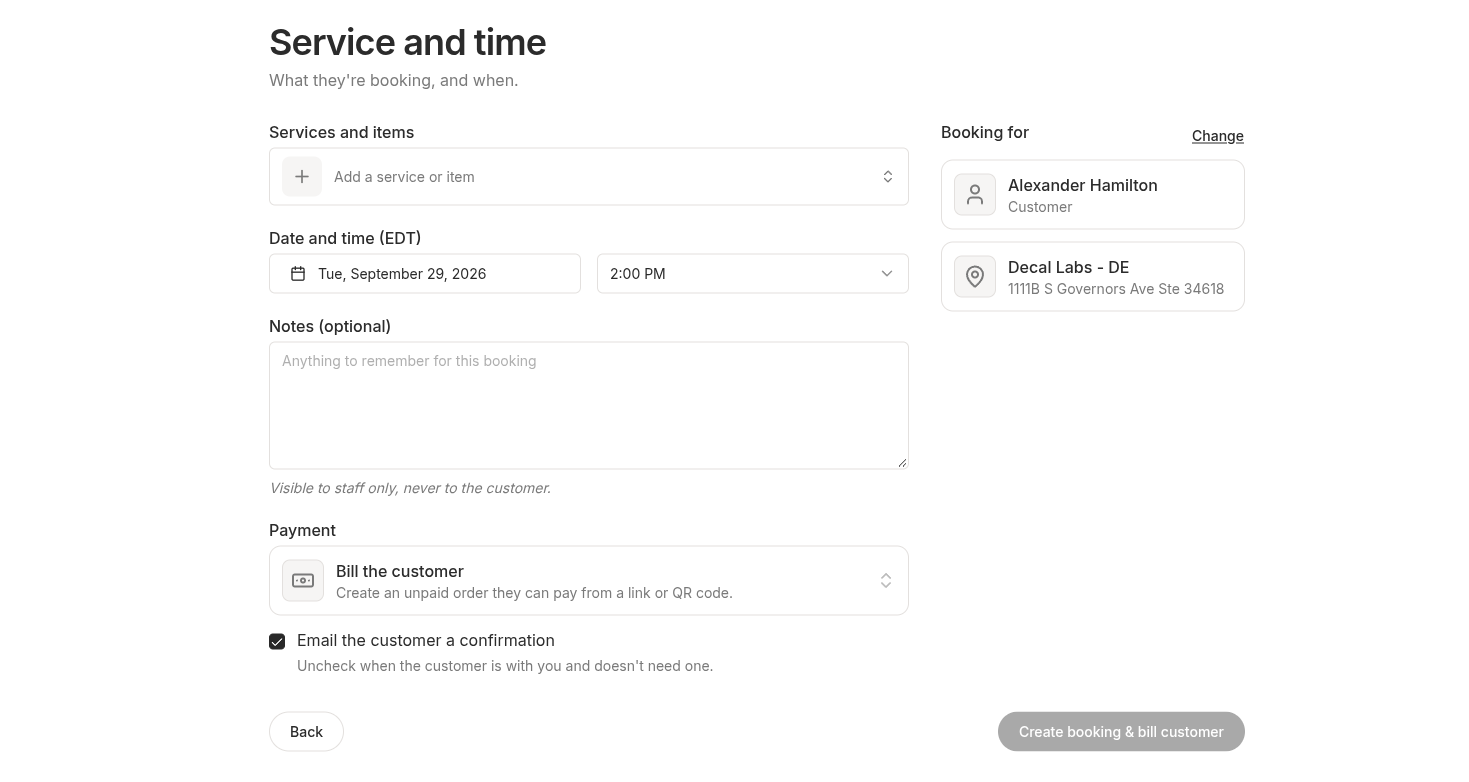 Billing the customer while creating a booking from the dashboard
Every booking now shows whether it's paid, unpaid, or has no order, and the bookings table can be filtered by payment status. Unpaid bookings are flagged on the calendar and class roster, and the booking page shows who on your team made it under Booked by.
Bookings Calendar Improvements
The bookings calendar now opens on the current time and collapses empty hours outside your business hours into bands you can click to expand. Anything scheduled keeps its hour open. Back-to-back appointments no longer draw over each other, and a double-booked slot shows side by side.
Hovering empty time marks where a new booking would start, snapped to the quarter hour. View, Density, and timezone now sit together under Calendar Display Settings, and your choices are remembered between visits.
Reload Amounts on Booking Pages
Merchants running a Stored Value program can now feature reload amounts at the top of their booking page and bookings homepage. Customers pick an amount, add funds without leaving the page, and then pay for their booking from that balance. Each tile shows its bonus up front. Guests can join right from the tile.
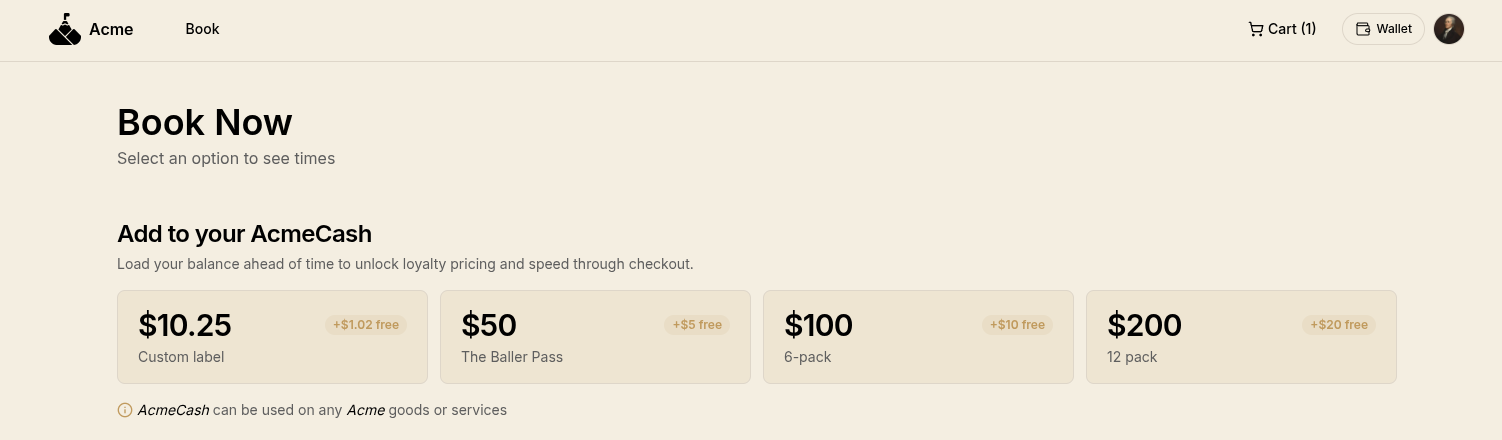 Featured reload amounts with bonuses at the top of a booking page
Choose which amounts to feature and write the heading above them from the new Storefront tab under Stored Value → Settings. It stays off until you turn it on.
Minor Improvements
- Image uploads are live for everyone. Logos, icons, favicons and avatars can be uploaded from settings.
- Receipts show a rescheduled booking's current time, not the time it was first booked for.
- Creating a booking asks for the location first, then only offers services that location provides. New dashboard booking creation flow allows one service each.
- The bookings calendar shows your date on a first visit, instead of tomorrow's for merchants behind UTC.
- Your storefront's home page shows your full logo, falling back to your icon only when there's no logo.
- Idle dashboard tabs no longer end in a redirect error.