Customer Booking Pages, Treasury Automation & Smarter Scheduling

Book services and classes directly on a merchant's site, turn on automatic Treasury deposits, and manage timezone-aware appointments from the dashboard.
Customers Can Book Right on Your Site
Building on the
customer booking beta,
customers can now browse a merchant's bookable services and classes directly on their site at
/book. Each offering gets its own page showing the name, description, price, duration, and real
available times in the location's timezone, so a customer can find a service and pick an open slot
without calling ahead.
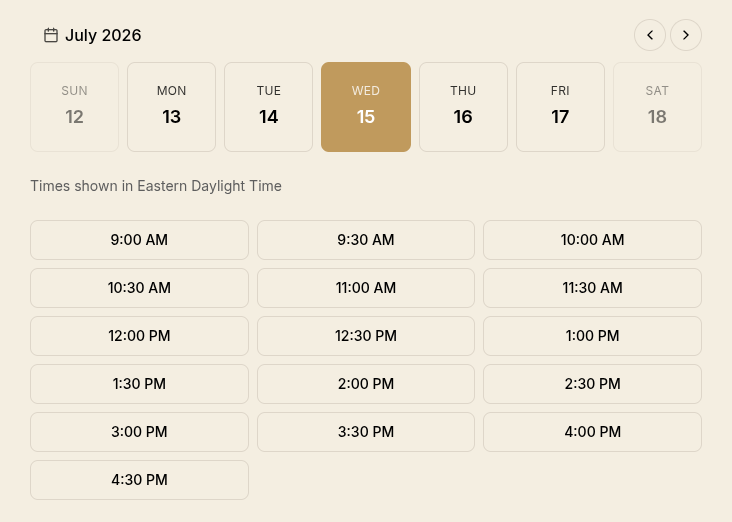 Select a date and time for a booking on the merchant's site
Faster, Smarter Booking Pages
The public booking experience is quicker and clearer. Availability now loads a full week at a time instead of one day per click, so flipping between days you've already looked at is instant with no loading spinner. Booking date pickers dim days the location is closed or a class isn't offered and explain why on tap or hover, so a customer never picks a day that turns out to have no times. When a day has nothing open, the empty state names the reason (closed, not offered, or fully booked) instead of a generic "no times available." Offerings bookable on only a handful of specific dates now show a compact list of just those dates rather than an almost-empty calendar. Open booking pages also keep availability current in the background: while a customer is deciding, a slot taken by someone else quietly disappears, and a selected time that gets booked away is cleared with a gentle notice.
Both booking flows now share a cleaner date-strip picker, a month and year header with week navigation over a row of day cards, and tapping the month opens a full calendar so customers can jump straight to a far-future date.
Multi-Service Appointments & Timezone-Aware Views
Merchants can now book multiple services in a single appointment from the dashboard. Search and add a haircut and a color to one booking, pick a single start time, and each service is scheduled back-to-back automatically. The calendar and bookings list show every service on the appointment instead of just the first.
The bookings calendar and all-bookings list now display in your own timezone by default, with a control to switch to a location's timezone or any timezone you choose. Booking times also show their zone (for example "EDT" or "PST"), so appointments at the same clock time in different locations are no longer indistinguishable. And for solo-operator businesses, booking one service now blocks that same time across your other bookable offerings at that location, so you can't get double-booked across multiple locations at the same time for single staff businesses.
Automatic Treasury Deposits
Merchants can now put idle balances to work automatically. A new Treasury settings page (Finances then Settings) lets you enable automatic Treasury deposits, set an operating buffer to keep on hand, and choose a target tier. Once enabled, idle balances above your buffer are swept into Treasury to earn yield on a recurring schedule. It stays off unless you turn it on, deposits respect your existing payout rules, and anything deposited remains withdrawable through the usual Send to Balance flow. Automated deposits show up in your finances activity with a clear "System" label so it's obvious when the system automation acted on your behalf versus a team member.
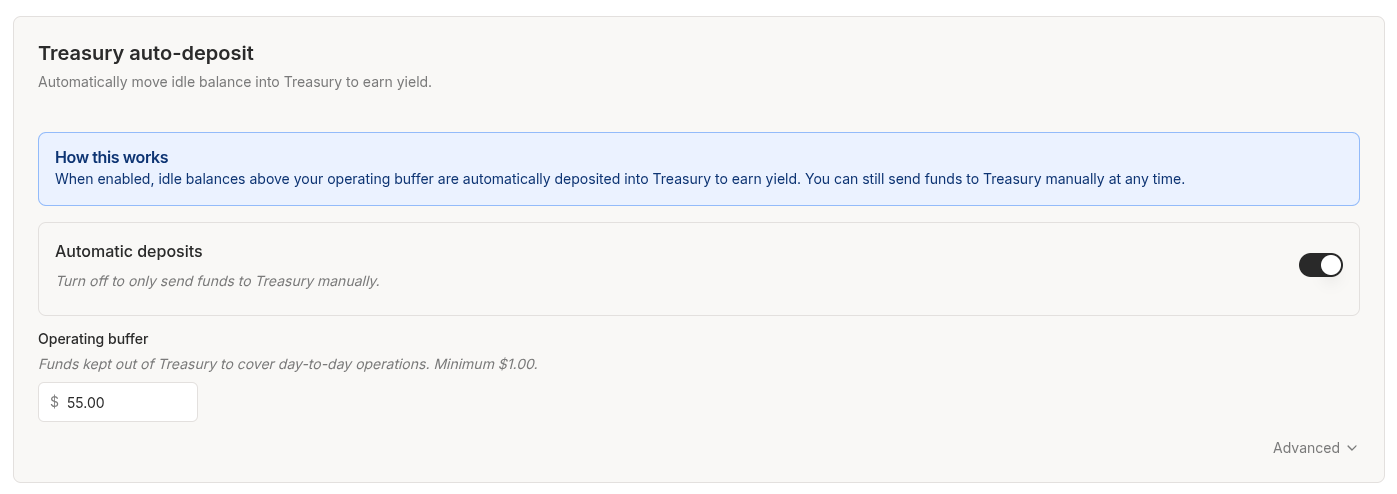 Enable automatic Treasury deposits from the Treasury settings page
You can also now see your all-time Treasury earnings on the Finances overview and on Stored Value program pages, instead of a placeholder dash.
Add Customers Without Leaving the Page
Adding and editing customers now happens in a slide-over wizard, consistent with catalog items, bookings, and locations. You can also create a customer inline while booking or while creating an order: "Add new customer" opens the customer form over your current work and pre-selects the new customer when you save.
Minor Improvements
- More reliable checkout notifications. Checkout webhooks still fire immediately, but are now retried automatically (up to five attempts with increasing delay) if the first attempt fails, instead of being dropped.
- Treasury "Max" withdrawals fixed. Full-balance and dust-sweep Treasury withdrawals no longer fail with a false "insufficient balance" error, and a stale "reserved by a pending transfer" notice no longer lingers after a transfer has settled.
- Proper 404 pages in the dashboard. Unmatched URLs under an organization now show a "Page Not Found" inside the dashboard chrome, and visiting an organization you don't have access to shows a clear "Organization Not Found" page instead of a bare error.
- Class size is now intentional. Creating or editing a class requires you to set the number of seats per session rather than defaulting to a single seat capacity.
- Tidier date displays. Dates now read "Jul 6, 2025" (unpadded day) and relative times read "1 hour ago" instead of "about 1 hour ago" across the platform.
- Cleaner wizard dialogs. Removed a large empty gap above the title in the customer, booking, location, and catalog dialogs.