Location Special Hours, Vacation Closures & Booking Page Messages

Close a location for a date or a vacation, change a day's hours, and tell customers why on your booking page.
Location-Wide Special Hours
Merchants can now set Special Hours for any location to better control their availability across every bookable service or class at that location. Mark a single date Closed, set Different hours for a day, use Closed for a range for a vacation, or Block a time range inside a day. Dates and times are stored and shown in the location's own timezone.
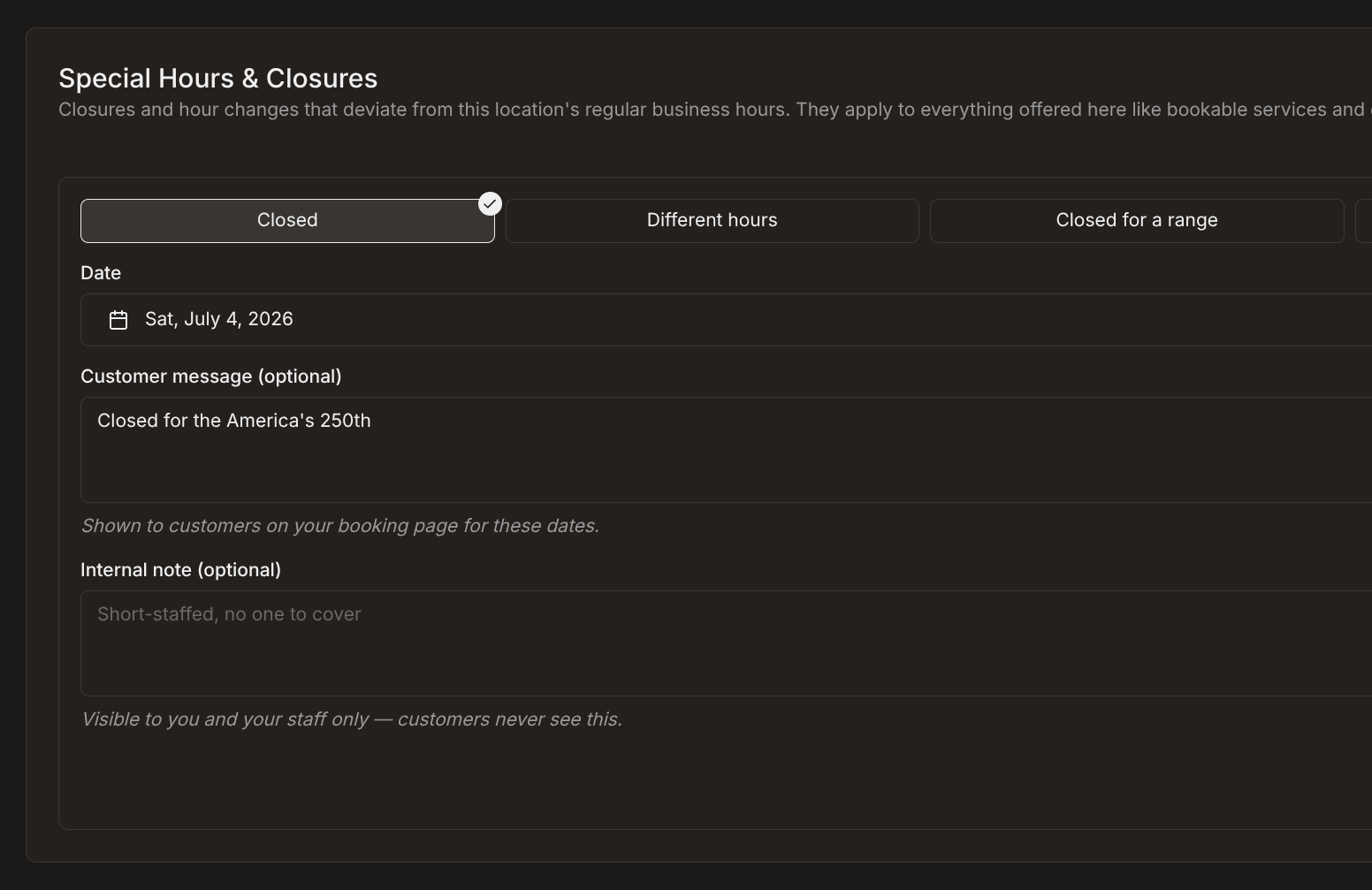 Setting Special Hours for a location
The controls on an individual offering are called Special hours & closures now too, so both places use the same standard language of "special hours" (as opposed to "date exceptions" previously).
Customer Messages on Closed Dates
Every special hours entry has an optional Customer message field to display a custom message directly on your booking page for those dates. Customers see it on the date in the picker, and again when they select a date for both closed days or modified hours.
The old Reason field is relabeled to Internal note for clarity. It is still only shown to you and your staff, never customers.
Minor Improvements
- Sign-in failures say what happened. You get a plain message above the sign in field, too many attempts or we couldn't reach the sign in service, instead of a stuck form or a raw string like "Request failed with status code 403".
- Character counts appear as you type. Fields with a length limit show how much room is left, and going over shows the count in red instead of quietly cutting your text short. It's on the special hours customer message and internal note, your balance name and description, and your sign-up page headline, subheading, and bullet points.
- Sign-up bullet points enforce one limit. They accepted 200 characters when only 120 could be saved. Both the counter and the check are 120 now.
- The balance name's 100-character limit fails with a readable message in the setup wizard and on the settings page, rather than a raw validation error.
- Opening the signup page while already signed in takes you to your dashboard. Invite links are unaffected, so a signed-in account can still join another business.
- Reloading right after you sign up no longer asks you to confirm leaving the site.