Free Items, Branded Customer Emails, and Fixed Booking Availability Exceptions

Offer a free consultation or intro session, customer notification emails show merchant branding, and stop date exceptions landing a day off.
Branded Customer Notification Emails
Booking emails sent to your customers now lead with your business name and logo. Decal gets one small line in the footer. Set both under Settings → Branding and they carry through to every one of these emails. The booking emails Decal sends you are unchanged and still clearly come from Decal. All emails got a visual glow-up pass too: Decal's real brand colors and standard button appearance.
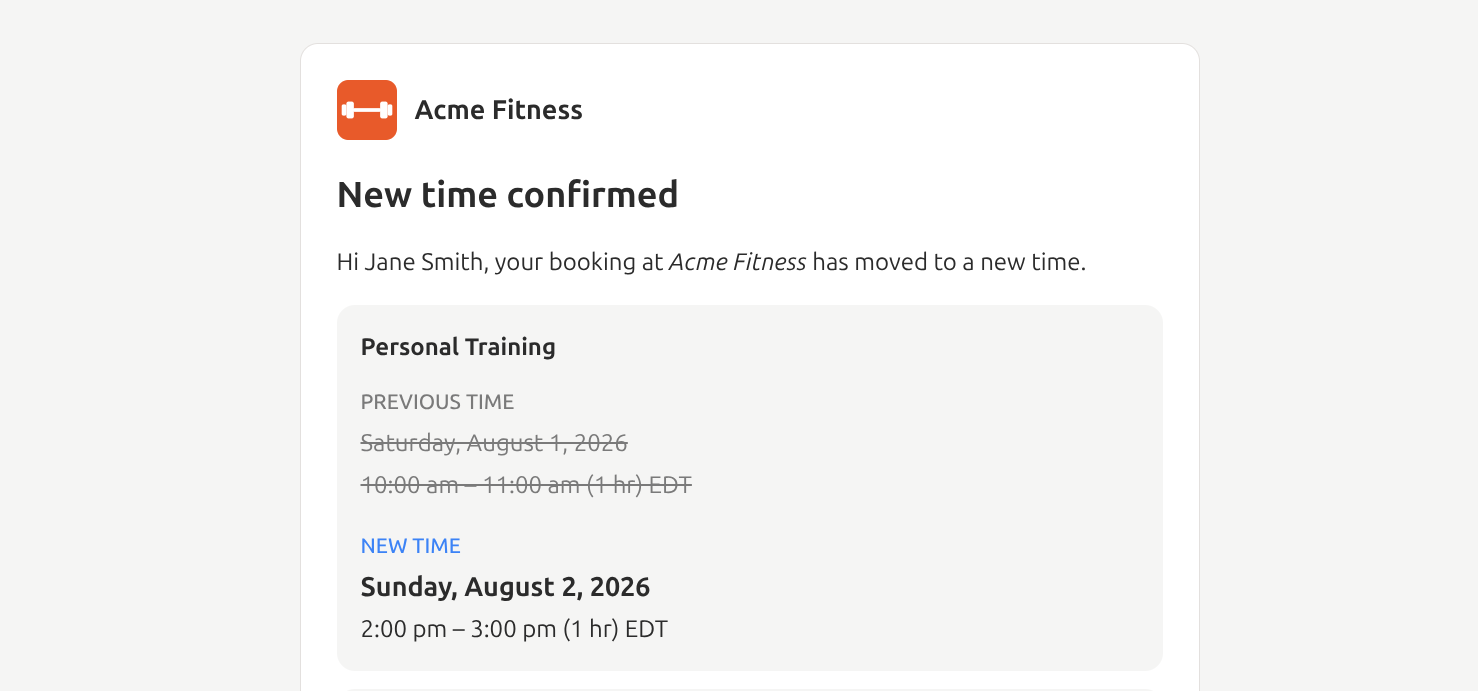 A rescheduled booking email leading with the merchant's logo and business name
Logos are stored as PNG images to support transparency consistently across email clients.
Free Items Check Out Like Anything Else
An item priced at $0.00 can now be booked and checked out. When an order comes to $0.00, checkout skips payment selection and completes the booking right there. Your customer still gives their name and email, so you know who's coming. A cart that mixes a free item with a paid one checks out the usual way.
This works everywhere a customer can buy: your checkout page, an order link, and hosted checkout.
$0.00 prices read as FREE on booking pages, in the cart, at checkout, and on order confirmations, so a free intro session looks intentional rather than like a price you forgot to set.
Booking Times Hold Up in the Right Timezone
Following on from booking times in your timezone, every location now needs a timezone, and it can't be left blank or cleared later. A location without one used to fall back to UTC without saying so, which threw off booking times, availability, and date exceptions for anyone not on UTC. Locations fall back to your organization's timezone now, and your organization's timezone is required as well, since it also sets the day boundaries in your reporting.
Date exceptions got some bug fixes. Closing a specific date used to save and display it one day off, so the day you picked stayed open and a neighboring day closed instead. An offering's closures and special hours resolve against its location's timezone now, and each exception shows the timezone it applies in.
Two smaller pieces of the same work. Only standard IANA timezones are accepted, so abbreviations
like EST that never adjust for daylight saving can't be stored and your booking times stay right
year-round. And when a connected point-of-sale sends a timezone we can't read, the location keeps
the one it already had, or falls back to your organization's, instead of being handed a value the
booking system can't interpret.
Locations created through the API and organizations created from a merchant application pick up the same fallback.
Booking Times Outside Your Regular Business Hours
A bookable time you set deliberately is now what decides when something can be booked, whether that's a class or event running on its own schedule or a date exception with special hours. Your location's regular business hours no longer overrule it.
Anything scheduled outside those hours used to be visible but unbookable. A 6pm bootcamp at a location that closes at 5pm appeared on your booking page with its seat count and then failed on every Add to cart, and a date you opened outside your usual hours behaved the same way. The booking page was showing the right thing all along. The check behind it disagreed and is now fixed.
The error your customers see got fixed with it. "That time was just taken" used to appear for any unavailable time, including ones your own settings had closed, so customers kept retrying a slot that could never work. That wording is reserved for a time someone else genuinely claimed first. A closed time says it's closed, both at add-to-cart and at checkout.
Minor Improvements
- Team invite emails say when the invite expires. The expiration was already enforced when someone opened the link, but the email gave no hint it existed. The invited role now reads the same way in the email and on the acceptance page, as "with Admin access" or "with Member access". Roles other than Owner and Admin used to get dropped from the email entirely.
- Buttons stop rendering blank on first paint. On pages that load data before rendering, a dialog, dropdown, tooltip, or popover trigger whose contents included an icon didn't show up until the page finished loading in the browser.