Self-Serve Rescheduling, Customer Booking Pages & Improved Special Hours

Customers get a Bookings page and a Reschedule button on their appointments, and improved clarity on the dashboard's special hours.
Self-Serve Rescheduling
Customers can now move their own appointment. Signed in on their booking page, they get a Reschedule button that opens your real availability, in whichever timezone they've chosen, and confirming moves it on the spot. They get the usual reschedule email, and the freed slot returns to your open availability for other customers to book.
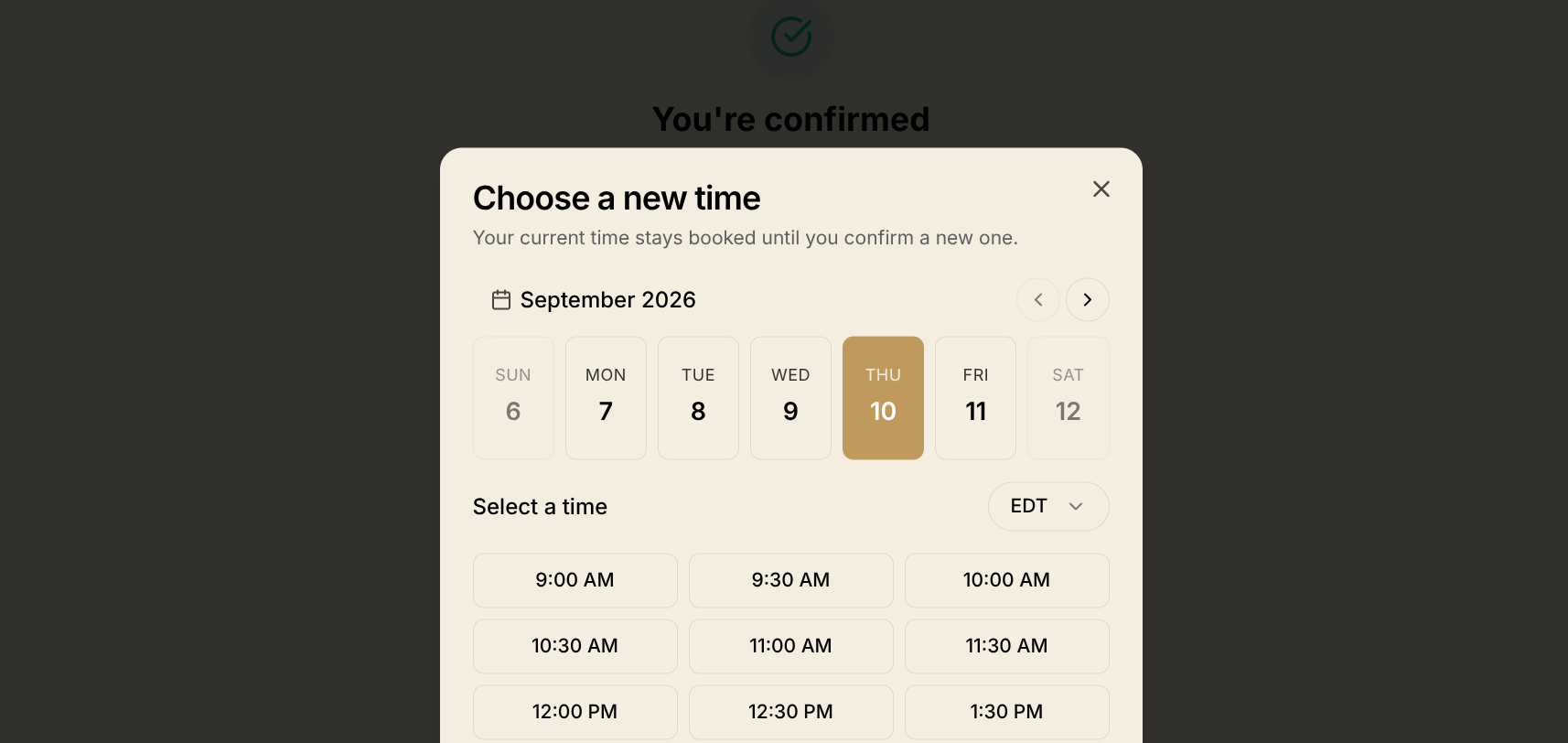 Choosing a new time on a customer's booking page
Your reschedule policy decides whether they can or cannot reschedule. Inside your notice window the button opens a Contact us to reschedule dialog with the terms that customer agreed to upon booking.
Customer Booking Pages
Customers now have a Bookings page listing every appointment they've made with you, upcoming ones soonest first, each row linking to their respective appointment. Cancelled and no-show appointments stay in the past list rather than disappearing.
Times show in the customer's own timezone by default, and a picker in the page header switches to each appointment's location timezone or any other.
Improved Special Hours
Every Special Hours entry now names its own effect: the date leads, a badge says whether the day is closed or open on different hours. Both notes are labelled by audience, Customers see: and Internal:, so the customer-facing message is no longer the unmarked one.
Removing an entry asks first and names the date it clears. Entries that have already ended are tucked behind Show past, and closing the offering wizard with an unsaved entry now warns you.
Minor Improvements
- Booking failures say what happened. A service pulled from a location says so, a full cart tells the customer to check out first, and only a genuine clash with another customer says a time was just taken.
- Picking a payout wallet takes one click, with each wallet's name above its address and the default marked.
- Treasury states correct status: in cooldown, ready to claim, queued, or moving.